 Litestats
Website analytics small businesses can actually use
Know where customers come from, which pages work, and which calls to action get clicked without learning GA4 or adding a cookie banner to your website.
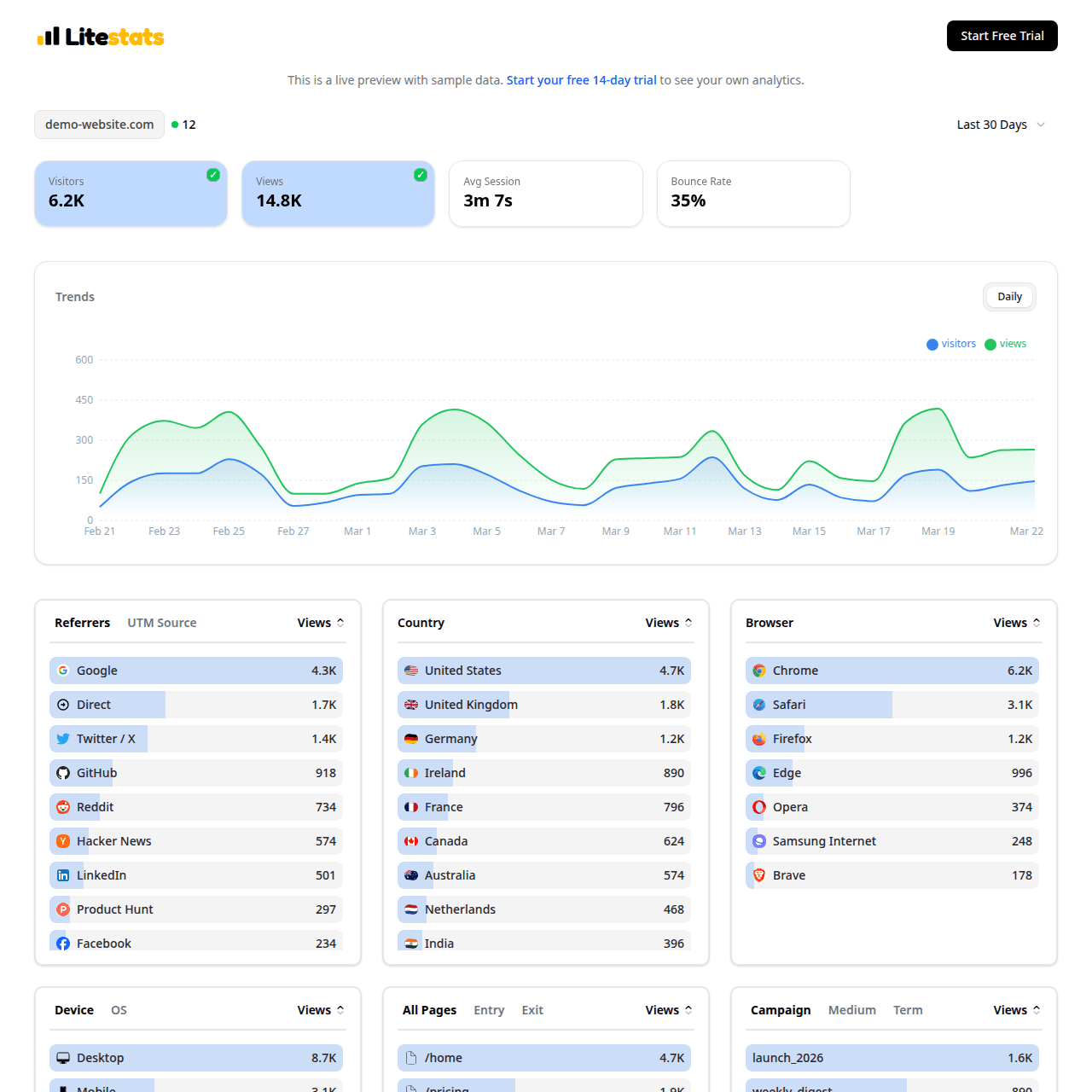
Original LiteStats dashboard screenshot: the key numbers small businesses need, from visitors and sources to events and top pages.
Feature demonstrations
The examples below show how LiteStats handles real reporting jobs without cookies, fingerprinting, or a complicated analytics setup.
See what brings customers in
Track the channels and pages that create attention for your business.
Measure real actions
Go beyond pageviews with event tracking for the moments that matter.
Spend less time reporting
LiteStats keeps your dashboard readable so you can check performance quickly.
Why teams choose LiteStats
A commercial analytics page should prove the product quickly. These are the practical reasons LiteStats is easier to adopt and easier to trust.
No analytics specialist required
The dashboard is built for owners, operators, and marketers who need answers without a reporting course.
Better customer insight
Find out which campaigns, pages, and calls to action are worth repeating.
Privacy without paperwork
Cookieless analytics keeps measurement respectful and avoids unnecessary consent-banner friction.
Questions before switching?
Short answers for buyers comparing analytics tools, privacy requirements, and implementation time.
What analytics should a small business track?
Start with visitors, pageviews, traffic sources, top pages, campaign links, device type, country, and key events like contact clicks, form submits, and booking links.
Is LiteStats easier than Google Analytics?
Yes. LiteStats is intentionally focused on the metrics small businesses check most often, with no complex GA4 configuration or advertising reports.
How long does setup take?
Most sites can install LiteStats in a few minutes by adding one script tag. You can verify tracking and open your dashboard immediately after setup.
Keep exploring LiteStats
Use these internal resources to inspect the product, compare options, and get implementation details.
Live dashboard demo
Open a working LiteStats dashboard with sample traffic, events, referrers, devices, and UTM data.
Simple pricing
Compare Starter and Pro plans with transparent pageview-based pricing.
Setup guide
Install the one-line tracking script and verify your first pageview.
Free UTM builder
Create trackable campaign links for ads, newsletters, QR codes, and social posts.
QR code generator
Make QR codes with UTM tracking for flyers, menus, business cards, and print campaigns.