 Litestats
A Google Analytics alternative that stays simple
Replace GA4 with a lightweight dashboard that shows the metrics teams actually use: visitors, pageviews, events, referrers, countries, devices, and UTM campaigns without cookies or complex setup.
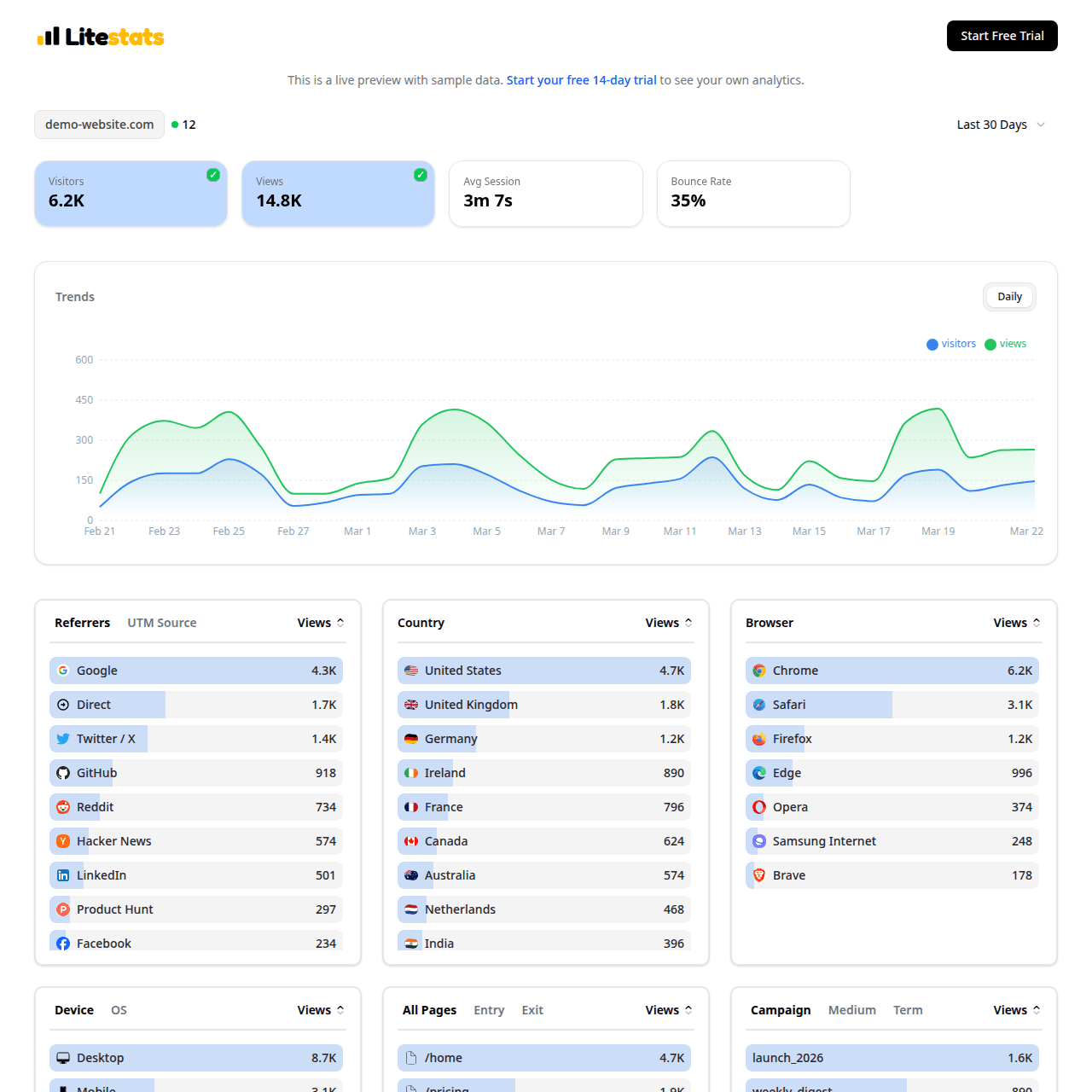
Original LiteStats dashboard screenshot: trends, live visitors, events, traffic sources, devices, and pages in one focused view.
Feature demonstrations
The examples below show how LiteStats handles real reporting jobs without cookies, fingerprinting, or a complicated analytics setup.
Switch without rebuilding your analytics plan
LiteStats covers the core reporting jobs most teams used Google Analytics for.
Keep reports readable
The dashboard is designed for scanning, not hunting through nested reports.
Avoid consent-banner drop-off
Cookieless tracking helps you measure visits while respecting visitor privacy.
Why teams choose LiteStats
A commercial analytics page should prove the product quickly. These are the practical reasons LiteStats is easier to adopt and easier to trust.
Built for decision-making
See which pages, channels, devices, countries, and campaigns are working without configuring GA4 explorations.
Faster setup
Add one script tag, verify your site, and start seeing traffic. No tag manager or property migration project required.
Privacy-first by default
LiteStats avoids cookies, fingerprinting, and personal data collection so analytics does not become a compliance project.
Questions before switching?
Short answers for buyers comparing analytics tools, privacy requirements, and implementation time.
Is LiteStats a complete Google Analytics replacement?
LiteStats replaces the core website analytics most teams use every week: pageviews, visitors, events, referrers, locations, devices, browsers, top pages, and UTM campaigns. It is intentionally simpler than GA4 and does not include cross-site advertising profiles or user-level tracking.
Can I use LiteStats alongside Google Analytics first?
Yes. You can install LiteStats next to your existing analytics setup, compare the dashboard for a few weeks, and remove Google Analytics when you are ready.
Will I need a cookie banner?
LiteStats does not set tracking cookies, does not fingerprint visitors, and does not build personal profiles. Many sites can use it without an analytics cookie banner, though you should always review your local legal requirements.
Keep exploring LiteStats
Use these internal resources to inspect the product, compare options, and get implementation details.
Live dashboard demo
Open a working LiteStats dashboard with sample traffic, events, referrers, devices, and UTM data.
Simple pricing
Compare Starter and Pro plans with transparent pageview-based pricing.
Setup guide
Install the one-line tracking script and verify your first pageview.
Privacy analytics comparison
Compare LiteStats with Plausible, Fathom, and Simple Analytics.